 Mr. EdLo's Virtual Classroom
Computer Club · Standards 4–6
Standards 4–6 · Every week
Computer Club
Type faster, work smarter, create something cool & win challenges
Welcome, club members! Sign in at the start of every club session: that is how your
attendance, typing tests and missions get saved. Then warm up on TypingClub for 15 minutes, take on this week's
mission for 25, and finish with 5 minutes of show & share.
⏱️ Our Club Routine · 45 minutes
1
Warm-up · 15 min
Practise your next TypingClub lessons. Eyes on the screen, fingers on the home row!
⌨️ Open TypingClub + start 15 min
New to TypingClub? Sign in to the club first to get our class join link.
2
Mission · 25 min
Open this week's mission, pick your level, and finish the challenge. Your result is saved.
3
Show & Share · 5 min
Show your work, teach a friend a tip, and check your new badges.
Click a button to start its timer. It floats on top of your other tabs (📌 brings it back if you close it), shows in this tab's name, and a soft chime plays when the time is up.
🏅 Pick Your Level

Bronze
I'm getting started. I like hints and step-by-step help.

Silver
I know the basics. I'm ready for fewer hints and more to do.

Gold
I want the expert challenge: speed rounds and no hints!
Any member can choose any level. Earn 3 stars, then try the next level up!
🎯 Club Challenges · saved to your record
Typing Test
1 or 2 minutes. Measure your speed (WPM) and accuracy. Beat your best and earn typing badges.
Week 1 · Shortcut Ninja
Master the keyboard shortcuts that make you super fast.
🗺️ Term Missions
Missions open during Computer Club, when Mr. EdLo switches them on.
Week 1
Shortcut Ninja
Copy, paste, undo and more, without the mouse
→
Week 2
Know Your Computer
Part Detective: find the 12 main parts of a computer, then hunt for them at your desk
→
Week 3
Folder Detective
Sort a messy pile of files into neat folders in Google Drive
Week 4
Safe Surfer
Spot the scam, protect your password, stay safe online
Week 5

Search Sleuth
Race to find answers using smart search words
Week 6
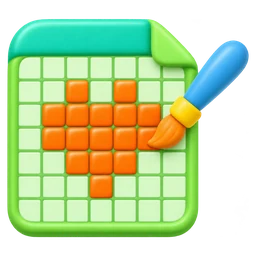
Pixel Artist
Create a picture one square at a time in Google Sheets
Week 7
Badge Designer
Design our Computer Club badge in Canva
Week 8
Poster Pro
Make an eye-catching poster for a school event in Canva
Week 9
Slide Show Star
Build an animated Google Slides show about Belize
Week 10

Typing Olympics
Team typing races and our end-of-term showcase
🏆 Club Standings · live
Sign in to join the race! Club members see their XP, level and rank, and the club boards. Only club members can see the names.
⭐ Overall XP · Top 10
⚔️ Standard vs Standard
Average XP per member, so a small group can win too.
📈 Most Improved Typing
Best speed minus first speed (90%+ accuracy).